Dbmovies
Restorer
The Restorer resets Dbmovies modules to their initial state, repairs the database and creates the required pages. This page explains what each action deletes and what it keeps, so you can use it safely.
Overview
The Restorer returns a module of Dbmovies to its initial state, for example to delete test data before you launch your site. It also has two safe actions that repair the database and create the required pages.
You find it in Dbmovies › Tools › Restorer. Only administrators can use it.
Removal actions cannot be undone. Before you run one, make a backup of your database. Use them only when you really need to start a module from zero: to fix a single title, link or subscription, edit it in its own screen instead.
How to use it
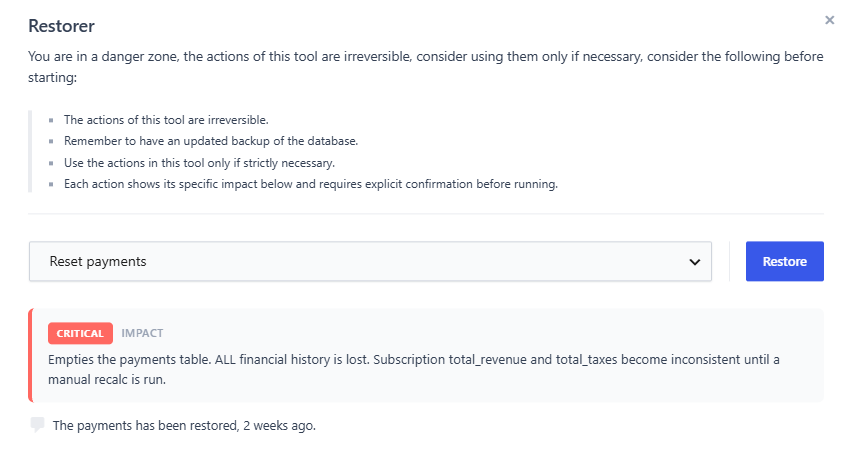
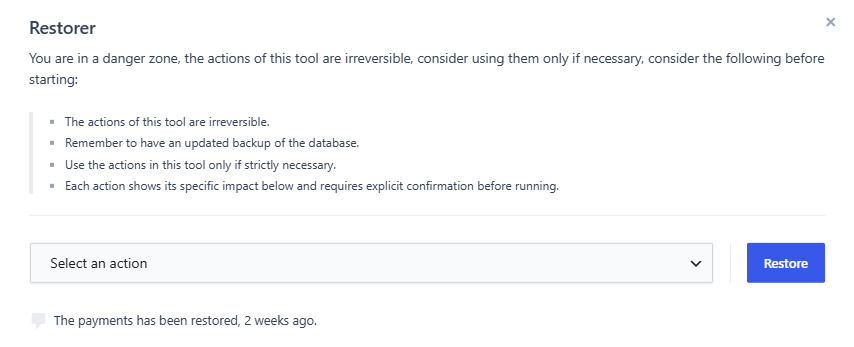
- Choose an action in the list. An Impact notice explains what it does, with its level:
- Safe: it does not delete anything.
- Destructive: it deletes data from one module.
- Critical: it deletes data your visitors or members use right now, such as links or subscriptions.
- Click Restore.
- Read the confirmation and click Yes, execute.
Under the button, the panel shows the last action you ran and how long ago.
Removal actions
| Action | Level | What it deletes |
|---|---|---|
| Reset view counter | Destructive | The views of every title, and the most viewed list. Counting starts again from zero. |
| Reset user ratings | Destructive | All the votes and the rating of every title. |
| Reset the links of sources module | Critical | All the links of every title. |
| Reset the reports of sources module | Destructive | All the reports your visitors sent about links. |
| Reset the subscriptions module | Critical | All the subscriptions: active, past and cancelled. |
| Reset payments | Critical | All the payments of subscriptions and ads. |
| Reset featured content | Destructive | The featured mark of every title. |
None of them deletes your movies, TV shows, episodes or settings.
Reset view counter
Deletes the view count of every title and empties the most viewed list. Counting starts again with the next visits. See View counter.
Reset user ratings
Deletes every vote, from visitors and from imports, and the rating of every title. Titles show no rating until they get votes again.
The IMDb and TMDb ratings come back as a title is imported or updated: the Meta Updater adds them again as one vote each. Visitor votes do not come back. See User ratings.
Reset the links of sources module
Deletes every link of every title. Your titles stay published, but without players or downloads, so your visitors lose access to the content right away.
The reports of those links are not deleted: use Reset the reports of sources module for that. See Link sources.
Reset the reports of sources module
Deletes every report your visitors sent about broken links. The links themselves are not touched.
Reset the subscriptions module
Deletes every subscription. Members with an active subscription lose access right away. Payments are kept.
This action does not cancel subscriptions in PayPal. PayPal keeps charging your members, and those charges no longer reach your site. Before you run it, open each PayPal subscription in Dbmovies › Subscriptions and click Cancel renewal, or set it to Cancelled: both stop the charges in PayPal. See Subscriptions.
Reset payments
Deletes every payment, of subscriptions and of ads. The totals paid of each subscription and ad, and the charts of Dbmovies › Payments, go back to zero. Subscriptions and ads are kept, with their dates. See Payments.
This only deletes the records on your site: it does not refund or cancel anything in PayPal.
Reset featured content
Removes the featured mark from every title. Titles are not deleted, and you can mark them again at any time. See Featured content.
Creation actions
These actions are Safe: they do not delete anything, and you can run them as many times as you need.
Repair database
Checks the Dbmovies database tables against what the installed version needs, creates any table that is missing and applies pending changes. Your data is kept.
Use it when Dbmovies reports a database problem, after an update that did not finish, or if a table was deleted by hand. The panel tells you if the database is complete, or how many changes are still pending.
Create and sort required pages
Creates the pages your theme needs and assigns them in the settings: Browser, Authentication, Account and Contact. Each one is created with its page template.
- A page that is already assigned, and uses its template, is left as it is.
- Your existing pages are not modified.
- The pages are only created if your active theme includes their templates, as Wovie does.
The Terms of Use and Privacy policies pages are not created: assign them yourself. See Initial settings.