Dbmovies
Genres
Genres classify your movies and TV shows, such as Action, Drama or Comedy. This page explains how genres are imported, how to feature a genre and give it an icon, and how to set their address.
Overview
Genres classify your movies and TV shows: Action, Drama, Comedy, Science Fiction and so on. Movies and TV shows share the same genres, so a genre page lists both.
You find Genres in the Movies and TV Shows menus.
How genres are imported
When you import a title, Dbmovies adds its genres from TMDb, if Genres is checked in Dbmovies › Settings › Data Importer › Initial settings › Taxonomies.
- Language: genre names come in the language of your site.
- Movies and TV shows share the list. TMDb uses some combined genres for TV shows, and Dbmovies splits them so that both share one list:
- Action & Adventure becomes Action and Adventure;
- Sci-Fi & Fantasy becomes Science Fiction and Fantasy;
- War & Politics becomes War.
- Reused: a genre that already exists on your site is reused, never duplicated.
Editing a genre
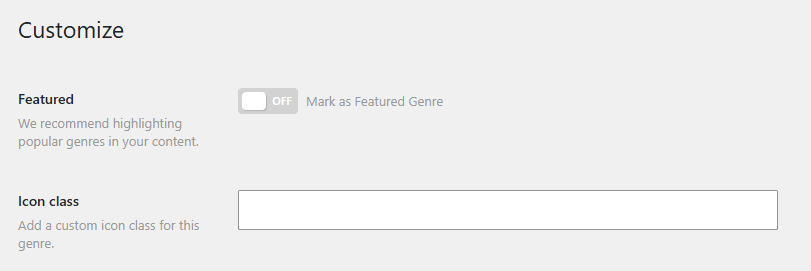
Open a genre to change its name, slug and description, like any WordPress category. Genres can also have parent genres, so you can create subgenres by hand. Dbmovies adds two fields:
- Featured: highlights the genre. Your theme can use it to show your main genres first. We recommend featuring your most popular ones.
- Icon class: a CSS class for the icon of the genre, if your theme shows icons.
Permalink
Every genre has its own page. You choose the word before its name in Settings › Permalinks, section Dbmovies: Taxonomies, field Taxonomy: Genres. The default is genre:
https://your-website.com/genre/science-fiction/Changing the word changes the address of every genre page. Choose it before you open your site.