Dbmovies
Custom badges
Badges are the short labels shown on the posters and pages of your titles: quality, language and a highlight message. This page explains how to set up the quality and language lists, how to assign badges, and how message badges and their expiration work.
Overview
Badges are short labels that tell your visitors something about a title at a glance. There are three:
- Quality badge: the best quality available, such as 4K or HD.
- Language badge: the main audio language, such as EN or LAT.
- Message badge: a short highlight, such as New season or Leaving soon, with an optional end date.
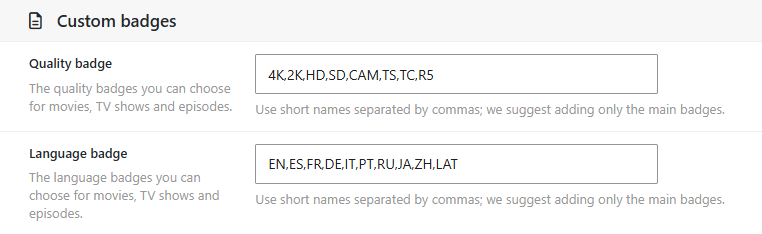
You define the quality and language lists in Dbmovies › Settings › Main settings, section Custom badges. Then you choose the badges of each title.
Quality and language lists
Each list is a text field with the badges separated by commas:
| Setting | Default value |
|---|---|
| Quality badge | 4K,2K,HD,SD,CAM,TS,TC,R5 |
| Language badge | EN,ES,FR,DE,IT,PT,RU,JA,ZH,LAT |
- Keep them short. Badges are shown on posters, where there is little room: two to four characters work best.
- Order matters. The badges appear in the selectors in the same order as in the list.
- Spaces and extra commas are ignored.
HD, SDandHD,SDgive the same list. - Leave a field empty to stop using that badge: titles can then only choose None.
The lists are shared by movies, TV shows and episodes.
Changing the lists
You can add badges at any time, and they are available for all your titles right away.
Removing or renaming a badge needs more care. Titles that already have the old badge keep showing it, because each title saves its own badge. But when you open one of those titles, its selector cannot find the old badge and shows None. If you save the title without choosing a new one, the badge is removed.
To rename a badge, for example from TS to CAM, add the new one first, change the titles that use the old one, and then remove it from the list.
Assigning badges to a title
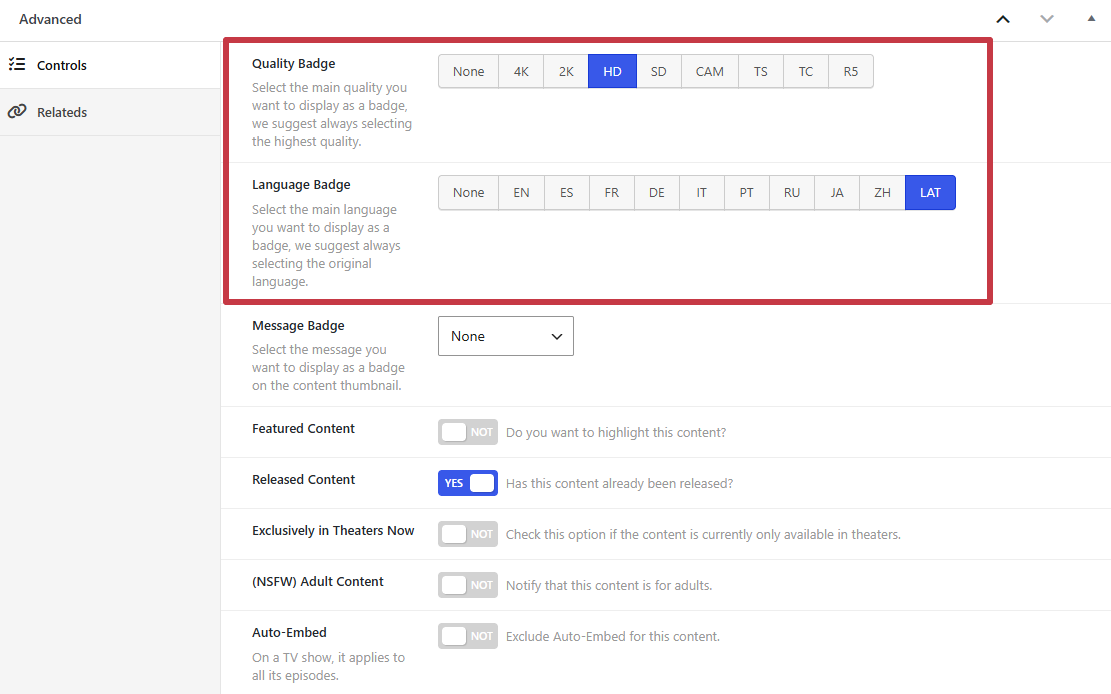
- Movies and TV shows: in the Advanced box of the editor, Quality Badge and Language Badge.
- Episodes: in the Metadata box, Main data tab.
- From the lists: the Movies, TV Shows and TV Episodes lists have a Badges column with the badges of each title.
New titles are imported with None, and updating a title with the Meta Updater does not change its badges.
Quick Edit
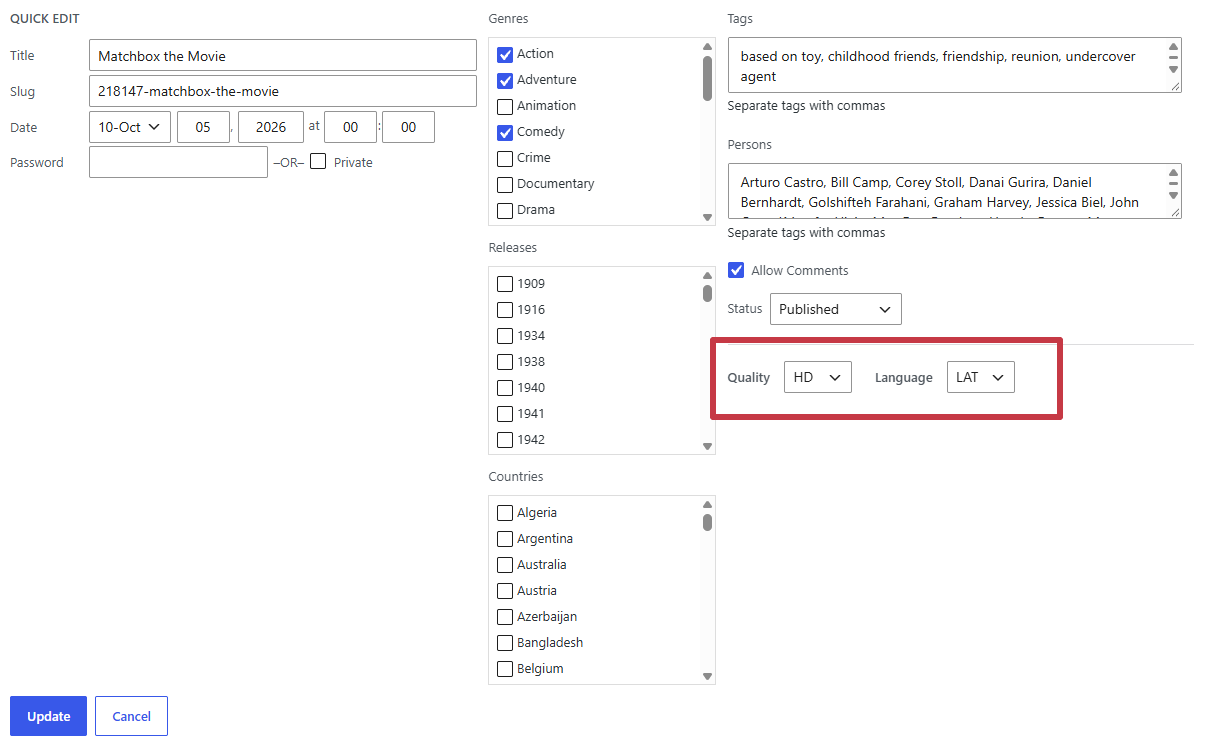
To change the badges of a title without opening it, hover it in the list and click Quick Edit. The Quality and Language selectors open with the current badges of the title: change the one you need and click Update.
In Dbmovies 1.3.36 and earlier, the selectors of Quick Edit always open on None. Choose both badges again before you click Update, or the title loses them. Update to Dbmovies 1.3.37 to fix it.
Badges are changed one title at a time: Bulk Edit does not include them.
Message badges
The Message Badge highlights a title for a while. Choose it in the Advanced box of a movie or TV show:
| Field | What it does |
|---|---|
| Message Badge | The message: Newly added, New release, New audio, New quality, New language, New links, Upcoming, Leaving soon, Only in theaters, Exclusive, Premium, Emmy winner, Oscar winner, New season or New episode |
| Custom Badge Class | Optional CSS classes for the badge. In Wovie, a Font Awesome icon works too: fas-before fa-fire shows a flame before the text |
| Badge message expiration | The date and time when the badge stops showing. It is filled in with one week from now; empty it to keep the badge without an end date |
The messages are a fixed list, translated with the plugin. When the expiration date passes, the badge disappears from your site on its own: you do not need to edit the title.
Where badges appear
With the Wovie theme:
- Posters: quality, language and message badges on the cards of the home page and the archives, and quality and language on the titles of a collection.
- Movie and TV show pages: quality and language next to the details of the title, and in its details panel as Quality and Audio.
- Episodes: the quality and language of each episode in the season list of the TV show.
Other themes can read the same badges from the Dbmovies API.