Dbmovies
Featured content
Featured content highlights movies and TV shows for 30 days, for example in the hero of your home page. This page explains how to feature a title, how long it lasts, and where it appears.
Overview
Feature a movie or a TV show to highlight it on your site, for example in the hero at the top of your home page. In Wovie, the featured titles rotate in the home hero, the most recent first.
A title stays featured for 30 days from the moment you feature it. Then it stops being featured on its own, so your hero always shows recent picks without manual cleanup.
Featuring a title
There are two ways, and both work the same:
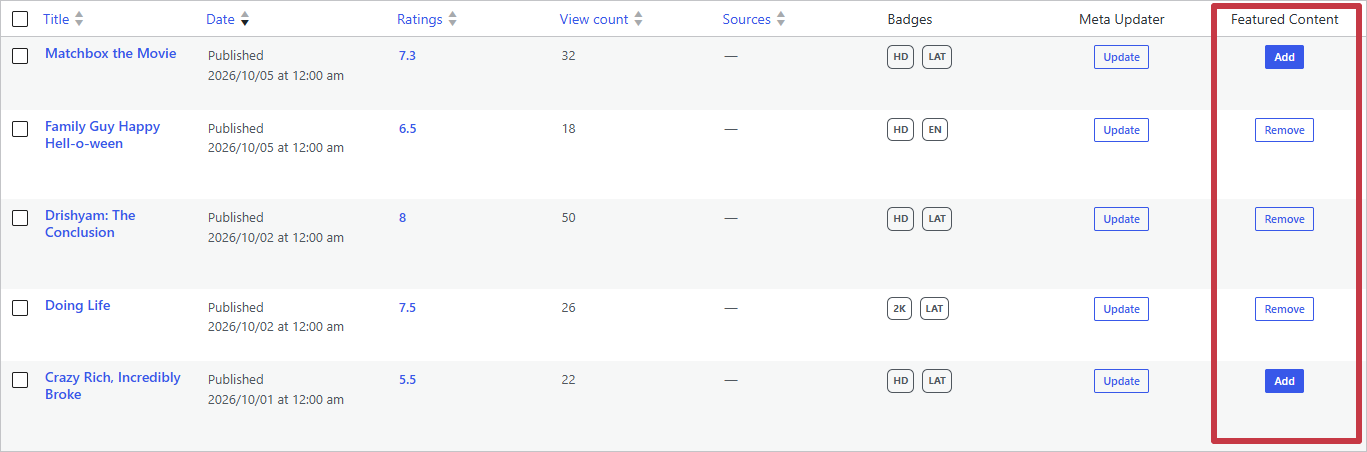
- From the list. In the Movies or TV Shows list, click Add in the Featured Content column. Remove takes it out.
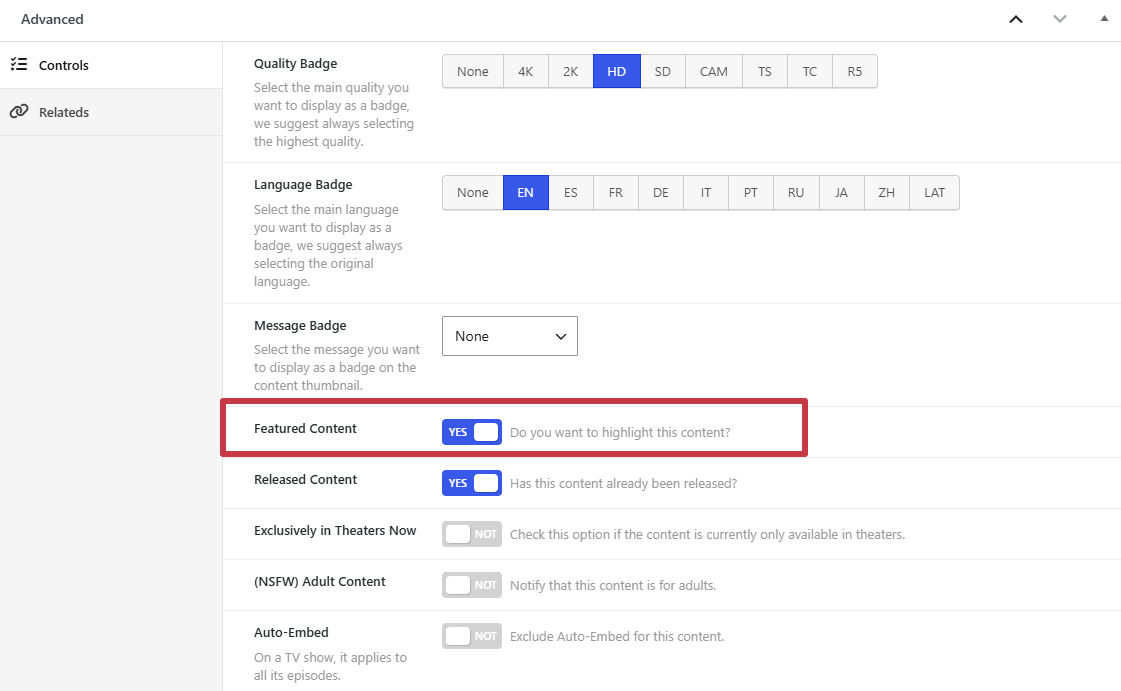
- From the editor. In the Advanced box of the title, turn on Featured Content and save. Turn it off and save to take it out.
The two stay in sync: a title featured from the list shows the switch on in its editor, and the other way around.
How long it lasts
- A title is featured for 30 days from the moment you feature it.
- Saving the title while it is featured does not restart the 30 days.
- To feature it again after it expires, click Add or turn the switch on again.
- When the 30 days end, a daily task removes the title from the featured content and turns its switch off. You can see the task, Featured Content Expire, in Dbmovies › Tools › Cron Jobs.
Developers can change the duration with the dbmovies_featured_duration filter, in seconds.
Where featured titles appear
Your theme decides where to show them. Wovie shows up to five featured movies and TV shows in the hero of the home page, the most recently featured first. If no title is featured, the hero is not shown.
Featured genres
Genres have their own Featured option, which is separate from this one: it marks your main genres so your theme can show them first. See Genres.