Dbmovies
Persons
Persons are the cast and crew of your movies and TV shows. This page explains how persons are imported with their profile, how their credits work, the person fields you can edit, and how persons that no title uses are removed.
Overview
Persons are the people of your catalog: actors, directors and creators. Each person has a profile with photo, biography and dates, and a page that lists the titles they appear in. A person is shared by all their titles, so their page gathers their whole career on your site.
You find Persons in the Movies and TV Shows menus.
How persons are imported
When you import a title, Dbmovies adds its cast and crew, if Persons is checked in Dbmovies › Settings › Data Importer › Initial settings › Taxonomies:
- Movies: the cast and the people credited as Director.
- TV shows: the creators and the main cast of all their seasons, ordered by the number of episodes each actor appears in.
How many of each you import is set in Dbmovies › Settings › Data Importer › Import Limits: Casting, Directors and Creators (by default 5, 1 and 1). See Import limits.
The first time a person appears, Dbmovies creates their profile from TMDb, with one request to TMDb:
- Profile: photo, biography, gender, birthday, birthplace and date of death.
- Links: website and social profiles (Instagram, Facebook, X, TikTok and YouTube).
- IDs: their TMDb and IMDb IDs.
When the person appears in another title, the same profile is reused. Two different people with the same name get separate profiles.
The photo is loaded from TMDb, or from your CDN if you set one, and is not uploaded to your server.
Credits
The credits of each title (who acts, who directs and which character each actor plays, in billing order) are in the Persons tab of its Metadata box. See Movies and TV Shows.
Your theme uses them to show the cast of each title and the page of each person, with the titles they appear in. Dbmovies also gives your theme the titles each person is known for and how many movies and TV shows they have on your site.
Editing a person
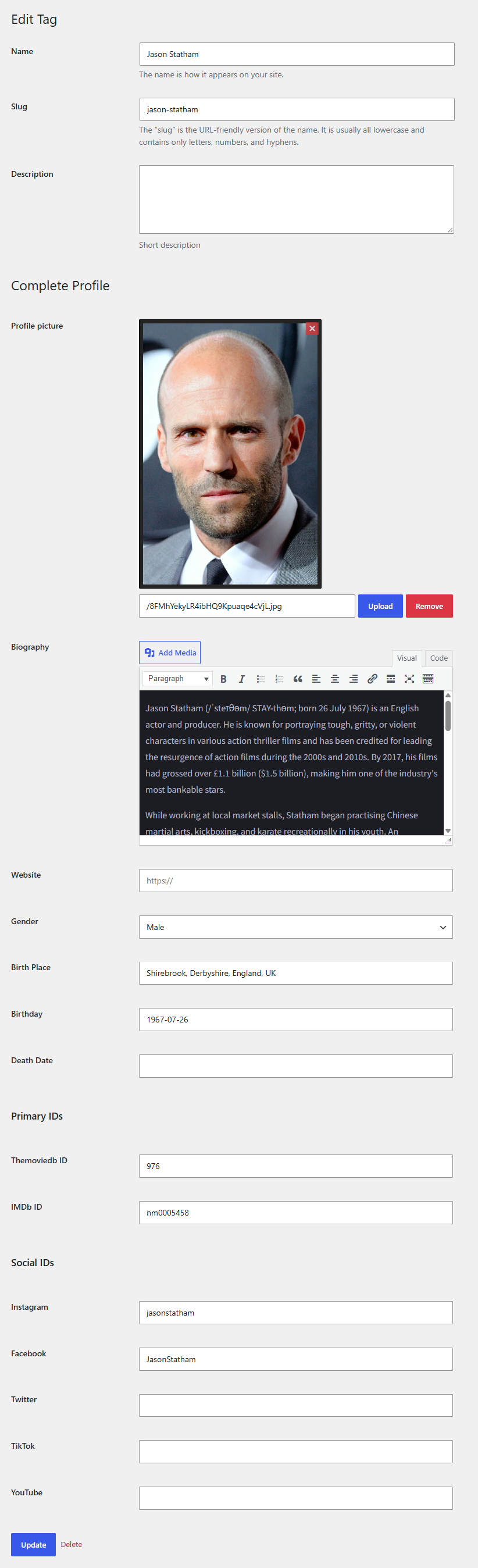
Open a person to edit their name, slug and profile:
- Profile picture
- Biography
- Website
- Gender
- Birth Place, Birthday and Death Date
- Themoviedb ID and IMDb ID
- Instagram, Facebook, Twitter, TikTok and YouTube
Persons that no title uses
When an update removes a person from a title and no other title uses them, Dbmovies deletes the person right away. To clean up persons left by older versions or by deleted titles, use Cleanup orphan persons, in the importer. It keeps the persons of titles that are drafts, scheduled or in the trash. See Cleanup orphaned persons.
Permalink
You choose the word before the person name in Settings › Permalinks, section Dbmovies: Taxonomies, field Taxonomy: Persons. The default is person:
https://your-website.com/person/pedro-pascal/Changing the word changes the address of every person page. Choose it before you open your site.